Custom Segments in tinyAlbert
Custom Segments in tinyAlbert
Send smarter, more relevant campaigns by targeting exactly the customers who matter.
You can now build and use custom segments right inside tinyAlbert — bringing the same powerful segmentation already available in tinyEmail directly into your tinyAlbert campaigns. This means you can go beyond broad, one-size-fits-all sends and target the specific customers most likely to engage.
What's New
1. Custom Segment Builder
Build your own tailored audience segments directly inside tinyAlbert using flexible rules and conditions. The Custom Segment Builder supports filtering based on the following available conditions:
- Activity: Filter contacts based on email interactions, opens, clicks, and engagement timeframes.
- Campaign: Target contacts based on their receipt of or interaction with specific past email campaigns.
- Custom Attributes: Segment subscribers using custom subscriber data fields (text, numbers, dates, and boolean flags).
- Customer: Filter using customer profile data, account details, and signup parameters.
- Traffic Control: Apply AI Traffic Control metrics and routing rules to optimize deliverability.
- UTM: Target contacts based on UTM tracking parameters and web traffic source metadata.
- Workflows: Segment subscribers based on their current status, branch path, or history within automated workflows.
2. Predefined Segments
A set of pre-built, AI-recommended segments is now available out of the box, so you can start targeting immediately without setting anything up.
For example:
- Dormant Subscriber: Customers sent an email recently who haven't opened it — ideal for re-engagement.
- New Sign-up: Anyone who joins your list — perfect for a welcome send.
- Active Engager & Engaged Subscriber: Your most engaged customers, based on recent opens and clicks.
- Inactive Subscriber: Customers who haven't received any emails in a while.
- Inbox Recovery Segments: Segments designed to help improve inbox placement with specific email providers.
3. Segment Summary
Every segment — custom or predefined — now shows a live summary as you build or review it, including total customers, subscriber count, applied filters, and an open/click/unsubscribe breakdown.
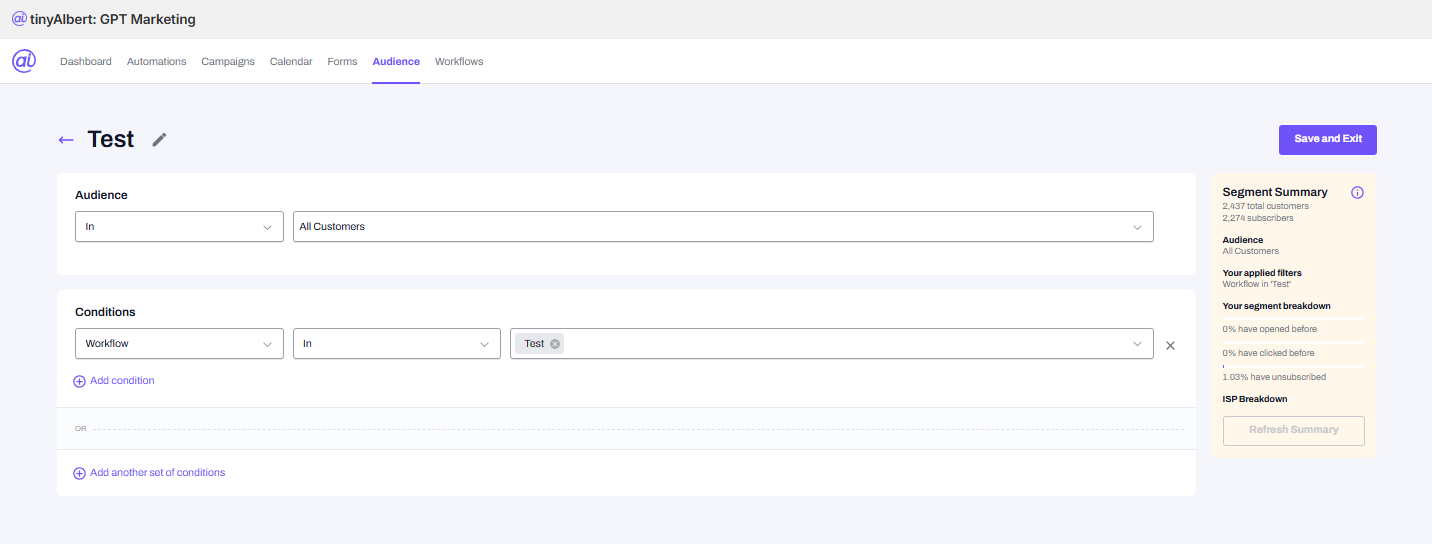
Note: Live Segment Summary is displayed while building or modifying custom segment conditions.
4. Campaign Targeting
Custom and predefined segments can now be selected directly as the Audience when setting up a campaign in tinyAlbert — seamlessly integrated into your campaign creation flow.
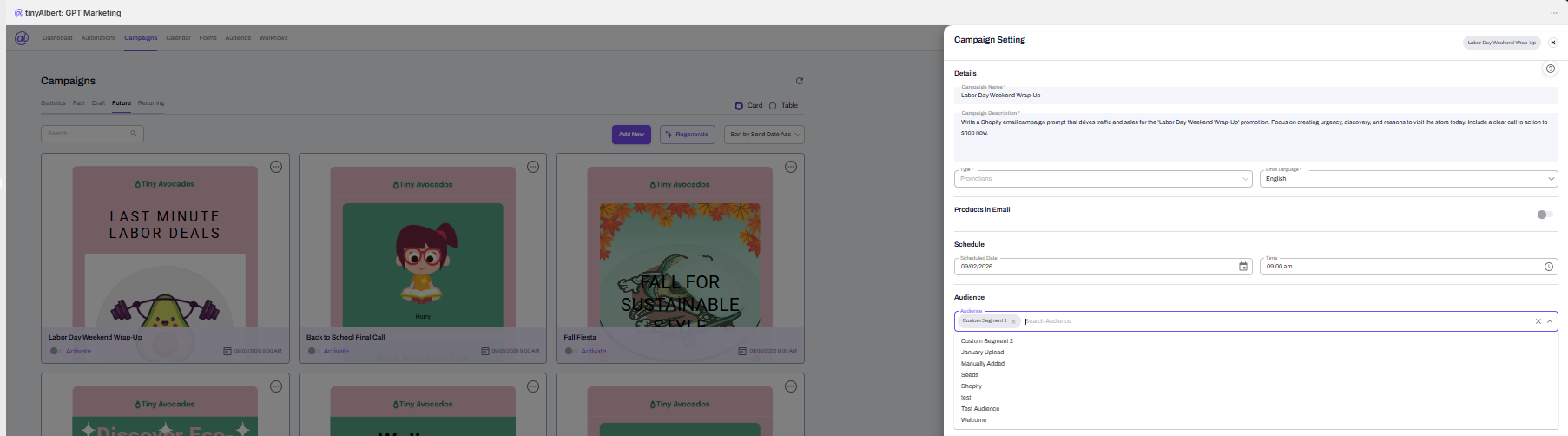
Note: Select custom or predefined segments directly as the Audience during scheduled campaign setup.
Impact
Customers no longer need to rely solely on broad audiences when running tinyAlbert campaigns. They can now target based on customer activity, campaign engagement, custom attributes, traffic control rules, UTM tracking, workflow triggers, and pre-built segments — significantly improving the relevance, deliverability, and overall performance of every send.